
Multi Bill (מולטי ביל) — Devlog by Noam Sapir
Multi Bill (מולטי ביל) - the modernized client (formerly BusinessNet / GoldNet). This devlog documents technical decisions, EDI/ERP integration, reverse engineering, and installation improvements made by Noam Sapir while working on the project.
Multi Bill (often referred as BusinessNet) is a financial service provided by Bezeq International, originally developed in the 90s by Bezeq Zahav (Gold Net). The revolutionary The service enables the integration of banking information with ERP software by exporting formatted financial files that can be later imported by various ERP systems (e.g., Priority, H-ERP, SAP, etc.).
This service works by the banking delivering EDI files to users mailboxes ( / centralized server), and the users download the files to their computers using secure infrastructure to be later used by the ERP software.
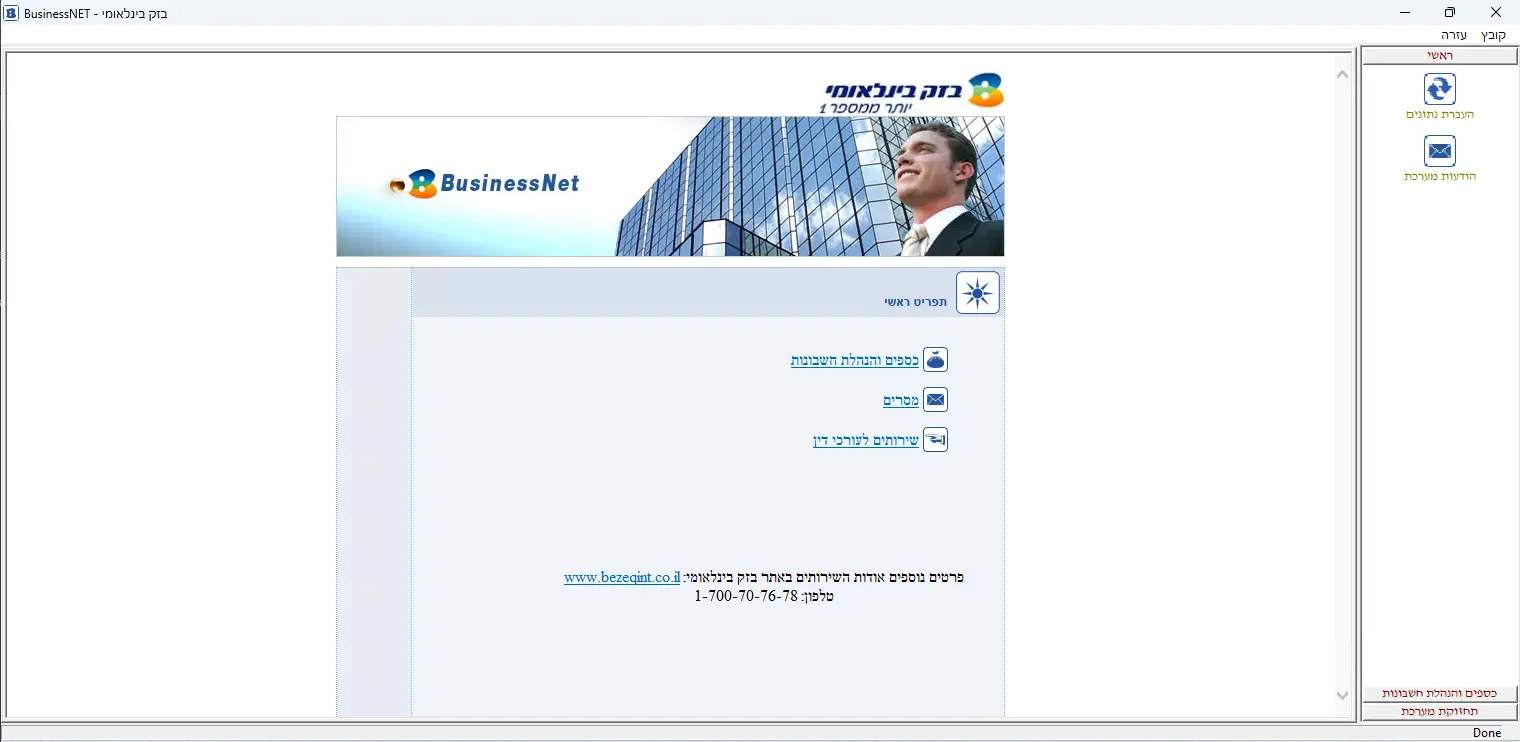
During my last 1.5 years at Bezeq International as technical support agent, I provided support to this service. As my daily work with the service was to resolve technical issues, I encountered a lot of huge problems with the service.
Primarily:Requirement of Local administration permission for the end user in Multi Bill (often rejected by IT departments). Incompatibility of Multi Bill with modern machines which sometimes causes failures. Complex, buggy legacy Multi Bill codebase and software complexity. Very long Multi Bill installation times (40–60 minutes). Complex software for technical agents to debug (poor UX). No way of updating the Multi Bill software or communicating with users OTA. 1990s UI design in the original Multi Bill interface.
As of my knowledge in software development, I quickly became master in the service and got to know everything, from troubleshooting to be able to know how this work. I was able to improve workflow’s, made several scripts and was able resolved pretty much anything and fast; But something was missing which was that this software is not modern and still has a lot of compatibilities issues with modern tech. Customers call the support team pretty much on a weekly basis and agents need to spend countless of hours on each customer per year.
In September 2024 I decided to play with the software on a VM to see if I can workaround a big issue with the software which was the local admin permission.
After few tries I was able to figure out how to get rid of this requirement, A job that no one was able to figure out in over 20 years. I was finaly was able to run the software without the need of local admin permissions which resolved a lot of headaches working with customers.
But that wasn’t enough for me. I wanted to expand this achievement and improve the service from the ground up.
I had 3 goals of in mind for improving this service:
Agents experience (Installations, quick and easy problem solving) Making the software modern and stabilizing it to a goal of near zero issues. Needed a refresh to the software in terms of UI/UX.
Soon I started developing what called a Hybrid software from the ground up.
Ahh, I forgot to mention. The source code for the original software has lost somewhere in 2007. Yay.
Brief of architecture and goals
Goal 1: Learn the system and get a proof of concept
The first goal was to understand how the software is working, identify essential services, and remove unnecessary components. Literally learn everything it does and how.
The software uses bunch of exe’s, each one responsible to something specific. It requires BDE (Boreland DB) as a database engine and DLL’s which are placed on different parts in the pc during installation.
Based on my finding. Only 2 Executables were needed along with the dependencies which are EAccount and ECurrency, which to this date hold the Core functionality of the service and they are stable to near perfect software. All the others were useless as they had compatibilities issues or didn't worked at all.
MailRoute- responsible for message reading and parsing – Useless, I have found a workaround.
Config - Bad settings program – Useless, I know what it does, I will reprogram this.
BusinessNET – Bad software interface, I will replace it also.
All the others? No need them. I will reprogram all the neccesary components later on.
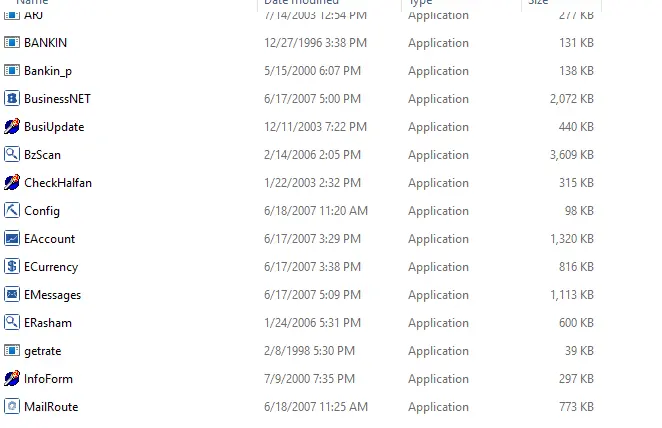
That goal was completed, I was able to shrink the software to only the required files. I was able to combine the dll’s and all software requirements to the same directory and fire both exe’s using manual installations of the required configurations by just unzipping a zip file.
What called first goal and proof of concept was Success.
Goal 2: Reverse Engineering
Both ECurrency and EAccount used outdated company logos (and, as mentioned earlier, the source code for these programs was lost).
I had to learn how to reverse engineer them in order to update some old pictures in them and even modify some of the code to make them better. I will keep it short as its hard to describe the process it took, but it will give the general idea.
For reverse engineering I used various of tools: Resource hacker, dfmedit, DeDe, Lazarus studio.
Using Resource hacker and dfmedit I was able to manipulate the resources in the softwares, and using Lazarus studio to remake modern pictures for the logos.
The process was hard, I had to find where the pictures image data were placed, know the pictures sizes and construct a new picture binary code. To construct a new picture code I had to make a fake software using Lazarus and reverse engineer it too for code combining.
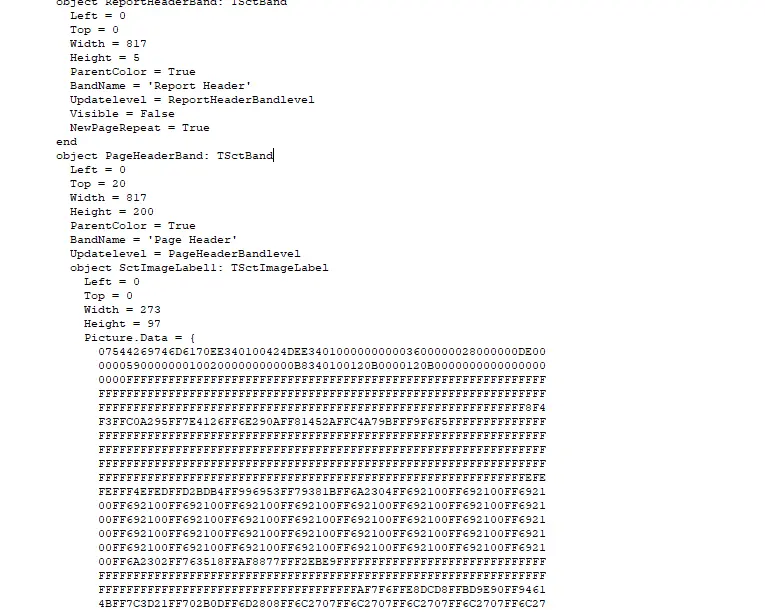
After hours, I was able to replace the resources successfully. This was my first ever attempt in reverse engineering.
From:
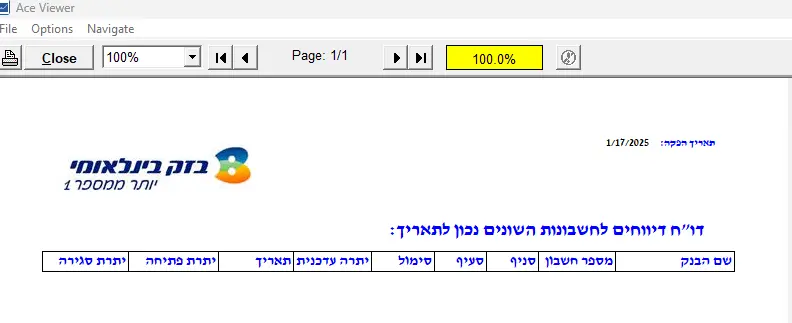
To:
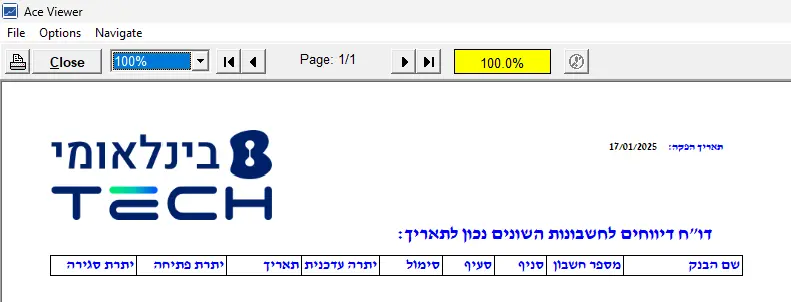
All of the software functionality kept intact. I modified some of the code to make it better compatible with modern machines.
Goal 3: Creating a new modern interface
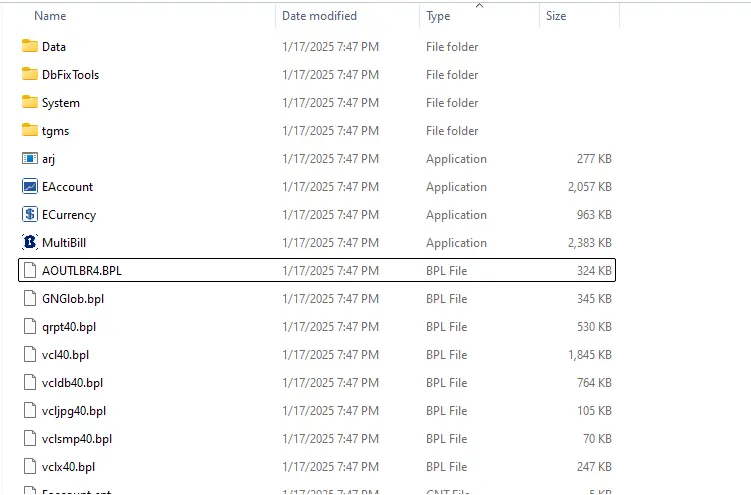
Creating a new interface was pretty much straight forward I used C# as the programming language and WinForms for the GUI.
The software needed to include:
Buttons to start the 2 executables Way to download and convert data Settings A way to communicate with customers via notifications. Good UI/UX. Way to handle errors, logs, software updates etc.
My initial design was this:
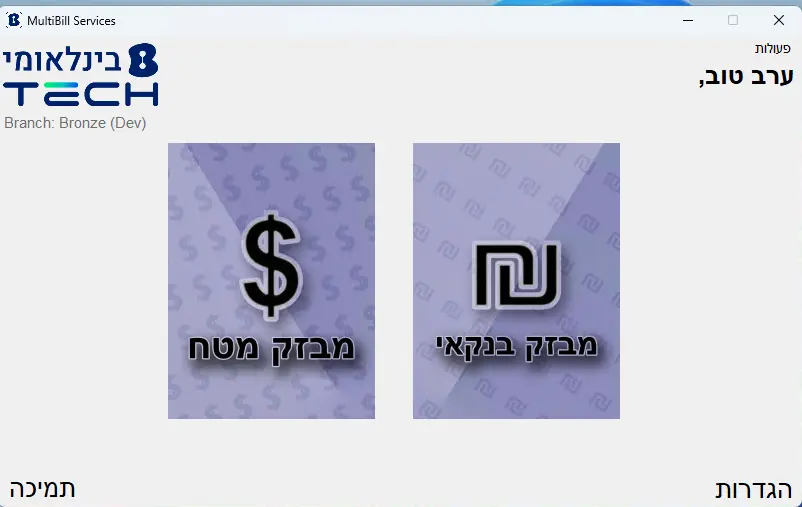
Developing and designing the client was a challenge as I needed to make an Hybrid software for a software I don’t know the source behind and how it really working.
I was able to create a stunning and stable software, by redeveloping the service from the ground up and getting rid of the useless components. At this stage, the software was able to run on a single directory without any manual modifications as the new client knows how to deal with computers and does its own magic.
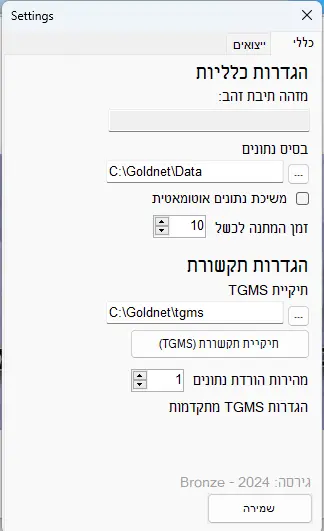
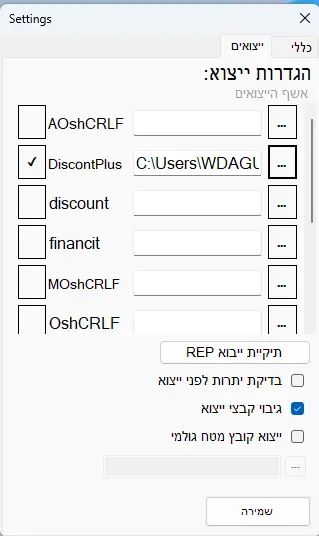
It includes robust settings panel which can configure anything the software relies on.
Goal 4: Showing my software
My software passed with big yes from the company managers. I collaborated with the R&D teams to ensure my software is working with the company guidelines and security principles.
I got this green light around October and since then the serious development begun.
As of suggestions I received. A lot of things have changes. From how this software will be handled in the long term, even after I will gone. And from how we will be able to communicate with customers regarding notifications.
At this stage, I worked closely with the developers. To ensure my code is stable, bug free and contains top security implementations. I was able to develop the software soley on my own without interventions as mu code passed all the tests.
I implemented some key features to help improve the service for the long term.
PC migrations Robust error handling Notification system Updating system
The notification system uses JSON file which can be updated by senior agents, it works by clients reading the latest JSON file on app startup which contains the relevant information to them.
This file also includes software updating mechanism which tells the software when its time for an update.
In this stage I heavily tested the software with the help of my team (Who provide technical support to the service) and constantly improved and fixed bugs.
Goal 5: Packing it up, design and final review
As for commercial software which supposed to work on thousands of computers, my initial design was bad. I needed a better design.
I collaborated with the design team and got to this final design which included a lot changesd:
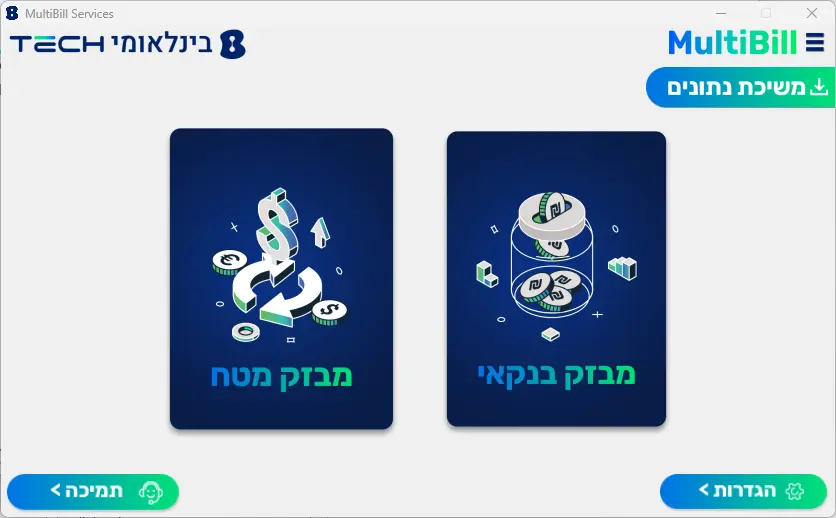
For a setup file. I made a Setup using a nice tool called InstallForge. The setup file is exactly what I needed, it installs the software within SECONDS. Do you remember when I mentioned installation times took 40 Minutes?
As for security, It is the first time I worked with code signing, the company signed my software with certification. If you don’t know, certification is a state of trust between the user and the developer. It being purchased from code signing provider and it is completely different from SSL certification.
Goal 6: Shipping:
The plan of shipping was easy. New customers will receive this new version by default.
Existing customer?, they will be upgraded for free. Upgrading would take a matter of seconds using the Setup file which has a mechanism of migrating data from old installations to the new one.
Developer's note: This technical devlog documents development work on the Multi Bill (מולטי ביל) client and highlights the key improvements made to the legacy BusinessNet/GoldNet system.
End words:
Multi Bill is my second commercial released software, it took me around 5 months to complete including working my day to day job. This time my software is being used by paying customers and Enterprise organizations, and being backed by large organization which signed my software with certification.
I also proud that this is my first big step in the industry as this time I worked closly with devevelopment pipelines.
The new Multi Bill service is now available to registered customers of Bezeq International.
FAQ — Multi Bill (מולטי ביל)
What is Multi Bill? — Multi Bill (מולטי ביל) is the modernized banking integration client (formerly BusinessNet / GoldNet) that exports EDI files for ERP systems.
Who developed the Multi Bill client? — This devlog documents the work developed by Noam Sapir that modernized the Multi Bill client.
Is Multi Bill owned or maintained here? — The software and assets described remain the property of Bezeq International; this page is a technical devlog by the developer who took part shaping and developing the described content.
How does Multi Bill integrate with ERPs? — Multi Bill exports formatted EDI banking files which can be imported by ERP systems such as Priority, H-ERP and SAP.
Published:
Legal Notice: The software, including all associated images, names, logos, and code mentioned in this article, is the exclusive property of Bezeq International. This article is a personal devlog and does not imply ownership or any claim over the resources depicted or referenced. All rights to the software and its related assets belong to Bezeq International. Noam Sapir (Owner of this website) does not claim ownership of any software, images, or code mentioned in this article, which were developed for and fully delivered to Bezeq International upon project completion. The Multi Bill client (מולטי ביל) described in this devlog was developed by Noam Sapir and delivered to Bezeq International.